Money

Credit Card Not Working in Japan? Fix a Declined Foreign Card

Foreign card declined in Japan? Compare contactless, chip and PIN, online 3D Secure, cash and ATM fixes, then check the card issuer.

Page updated:
Source-check dates are shown with the relevant information below. A page edit does not mean every detail was rechecked.

10-second answer

What to do right now

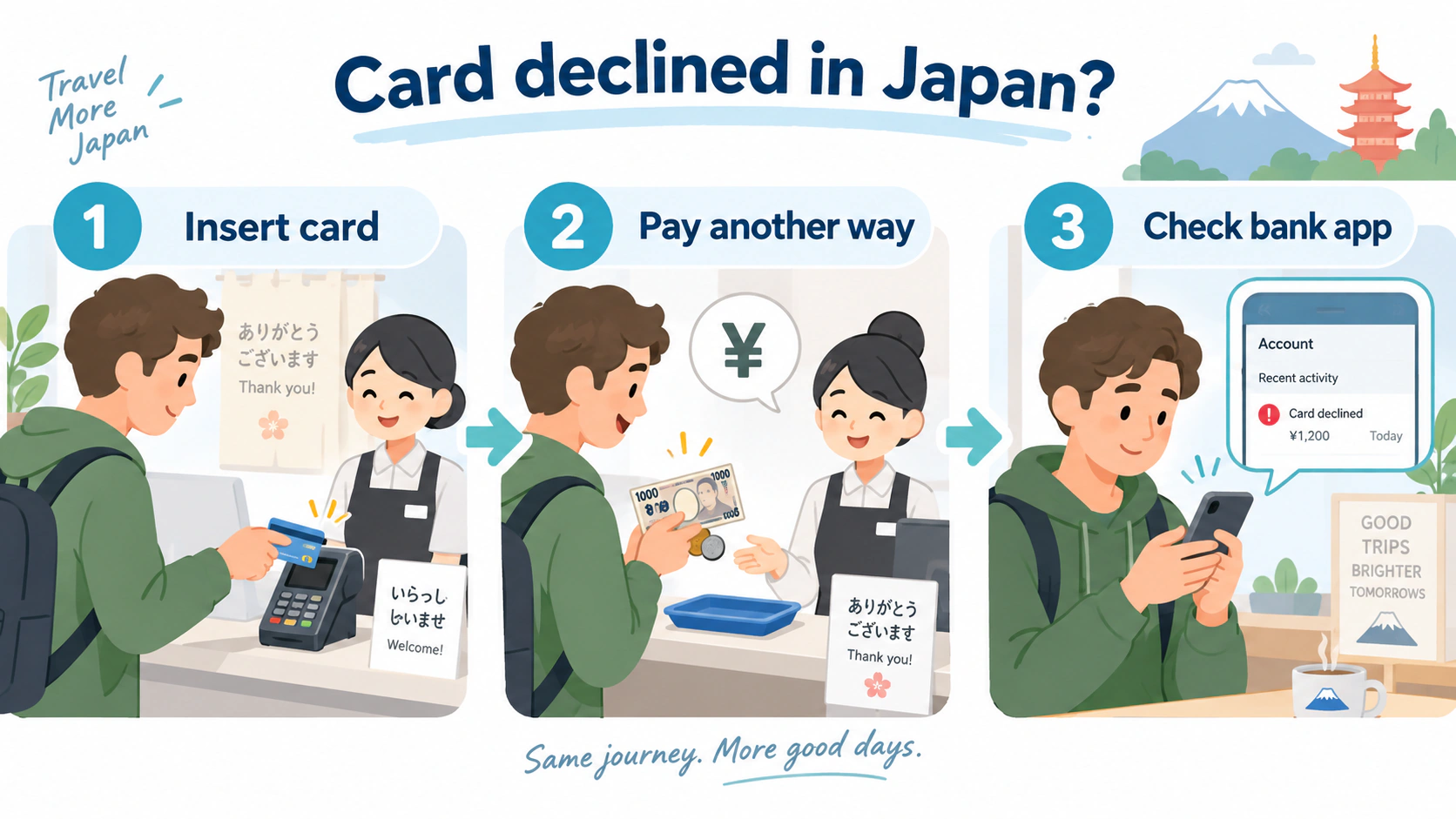
Foreign card declined now? If contactless failed, insert the physical chip card once and enter your PIN. If the inserted card also fails, stop retrying, use Japanese yen or another card, then check your issuer app. For an online failure, reopen the seller through its official site and complete any issuer 3D Secure check.

  1. 1Match the failure
  2. 2Complete the purchase safely
  3. 3Check the issuer
Three-step illustration for a declined card in Japan: insert the physical card, pay another way, then check the bank app.
Original explanatory diagram for Japan Joy Guide.
Useful Japanese phrase

Can I insert the card instead?

カードを差し込んで支払えますか?

Kādo o sashikonde shiharaemasu ka?
Do not keep retrying a blocked card

Use another payment method, then check your bank app or call the number on the back of the card. Never share your PIN, one-time code or full card details with a shop, hotel or anyone offering help.

Payment troubleshooting

What to do at the checkout

Match the failed payment below. If you cannot complete the purchase safely, use an accepted backup and resolve the cause with your issuer afterward.

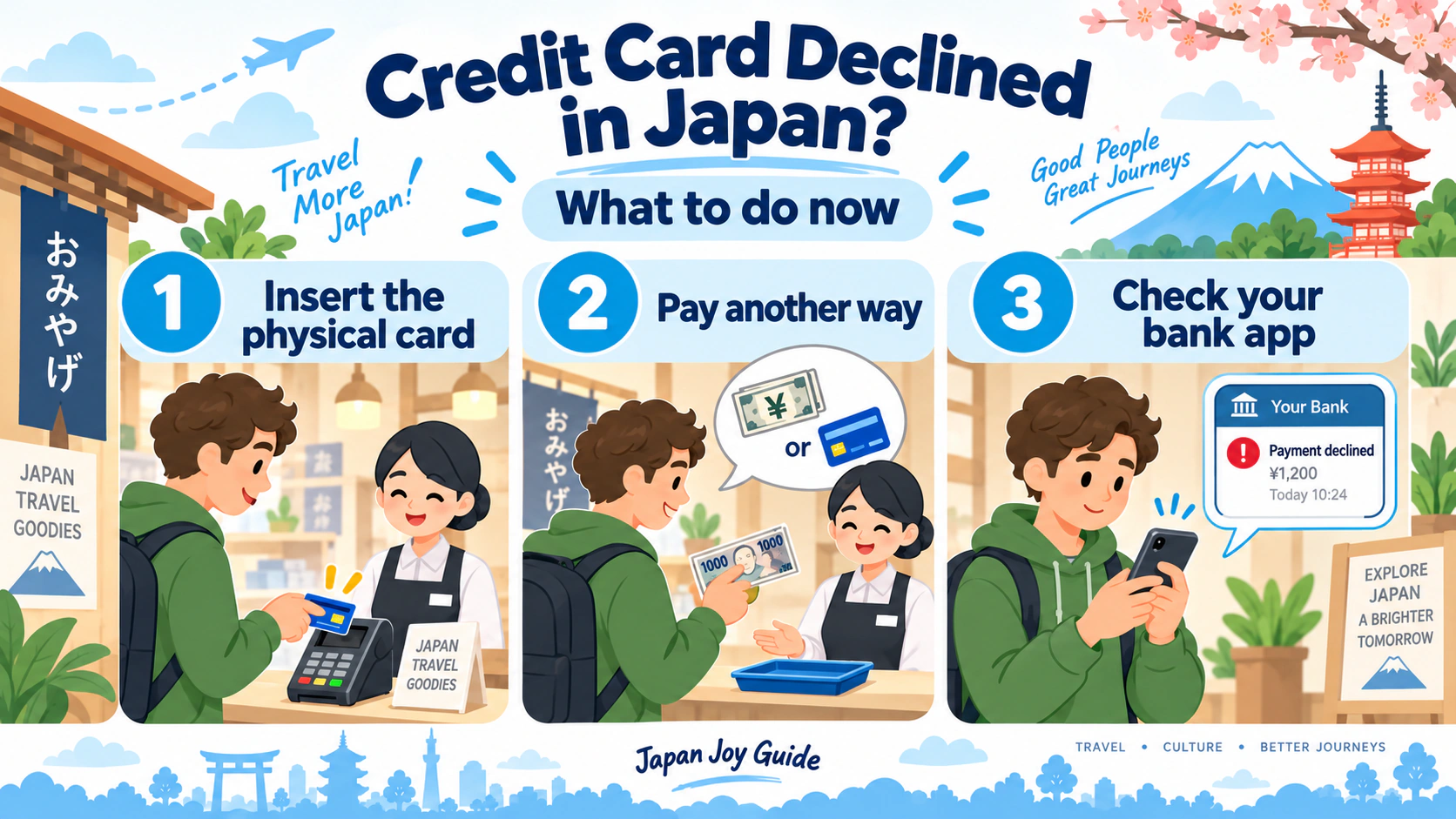
Three checkout actions after a credit card is declined in Japan: insert the physical card, use another payment method and check the bank app.
Use this visual for the immediate checkout sequence; the troubleshooting details below explain the likely cause.
Match the failure to the next step

Foreign card, contactless or cash—which problem is it?

What happenedOpen the relevant instructions
Only tap or phone payment failedContactless and physical card
Inserted card or PIN rejectedPIN and issuer checks
Cash-only shopPaying in yen
ATM rejected the cardWithdrawal checks
Online booking failed3D Secure authentication
Train ticket or IC payment failedTransport payment
Lost card or unknown chargeProtect the account
Find the likely cause

Choose what happened

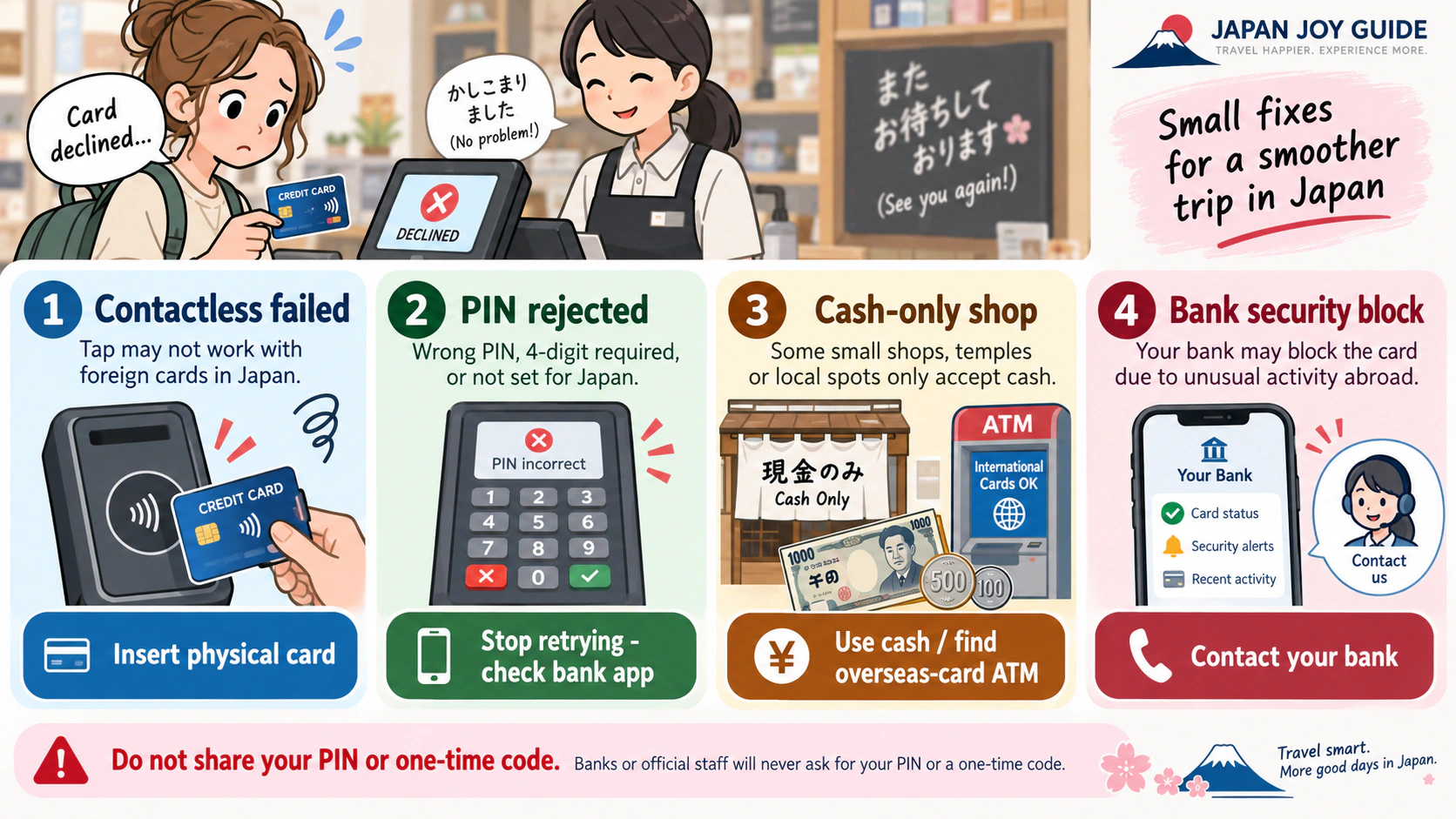
Contactless or phone payment was rejected

Ask to insert the physical card. Contactless acceptance is not identical to card-brand acceptance, and overseas smartphone payment services may not work at every Japanese terminal.

Say: “Can I insert the card?”

The inserted card or PIN was rejected

Stop after a failed attempt if you are unsure of the PIN. Check the issuer app or contact the issuer; repeated incorrect entries can lock some cards. The shop cannot remove an issuer block.

The shop is cash-only

Use an ATM that clearly displays your card network. Small shops, rural facilities and some short-distance transport may require yen.

The ATM would not dispense cash

Confirm that the ATM displays your card network, use the correct withdrawal PIN and try a lower amount within that ATM's limit. If it still fails, contact the issuer before trying repeatedly.

ATM availability does not guarantee that every card carrying the listed network mark will be accepted.

An online booking failed at 3D Secure

Use the transport, hotel or ticket seller’s official page and follow the verification opened by your card issuer. If you cannot receive the code on your travel SIM or the issuer-app approval does not arrive, check your bank's official app or contact the issuer about its available verification methods. Do not ask the shop to bypass authentication. If the check loops or fails, stop repeated attempts and use another payment method.

A genuine shop or helper does not need your full card number, PIN or one-time code by message or phone.

A train ticket or transport IC payment failed

Cards are not accepted for every short-distance rail or subway purchase. Ask station staff for help or pay cash. A physical Welcome Suica is topped up with yen, not a credit card; prepaid IC cards work only where the compatible IC mark is displayed.

The card is lost, stolen or shows an unknown charge

Freeze the card in the issuer app if available and contact the issuer immediately using its official app, website or the number saved separately from the card. Report theft to police. Call 110 only for a crime in progress or immediate danger.

Case-by-case credit card troubleshooting in Japan for contactless failure, a rejected PIN, a cash-only shop and a bank security block.
Match the symptom to the next action. Never share a PIN or one-time code with a shop or unofficial helper.

For ATM fees and currency-conversion choices, use the cash and ATM guide.

Useful Japanese phrases

カードで払えますか?Kādo de haraemasu ka?Can I pay by card?
現金だけですか?Genkin dake desu ka?Is it cash only?
海外発行カードが使えるATMはどこですか?Kaigai hakkō kādo ga tsukaeru ATM wa doko desu ka?Where is an ATM that accepts cards issued abroad?

Payment acceptance and issuer security rules vary. Check the merchant’s displayed payment marks and contact your card issuer through its official app, website or the number on the card.